
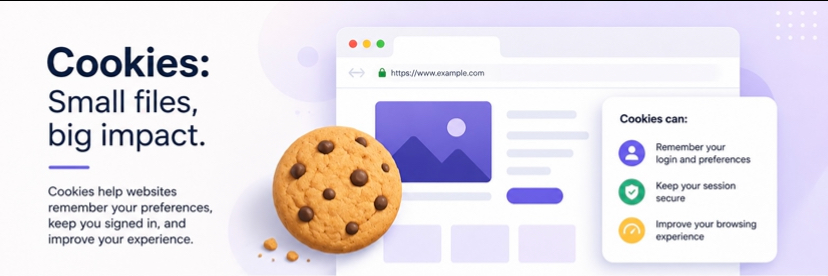
Whenever you visit a website, you are often greeted with a pop-up asking you to “accept cookies.” Most people click “Accept” without thinking twice, but very few actually understand what cookies are or what they actually do behind the scenes.
Because of this, cookies have become one of the most misunderstood parts of the internet. Some people assume they are harmful files or even viruses, while others believe they are completely harmless with no real impact on privacy. The truth is more balanced and sits somewhere in between.
In this guide, you’ll learn what cookies actually are, how they work in practice, why websites rely on them, and what they really mean for your privacy when you browse online.
What Are Cookies?
Cookies are small text files stored on your device by websites you visit.
They contain pieces of information that help websites remember things about you, such as:
- Login status
- Language preferences
- Items in a shopping cart
- Website settings
- Browsing activity on that site
Think of cookies as memory tools for websites. Instead of treating you like a new visitor every time you click a page, cookies help websites recognize you.
How Cookies Work
When you visit a website for the first time, the website sends a cookie to your browser. Your browser then stores it on your device.
The next time you visit the same website, your browser sends that cookie back to the site. This allows the website to “remember” you.
For example:
- If you log into an account, cookies keep you logged in
- If you add items to a cart, cookies help save them
- If you change language settings, cookies remember your preference
Without cookies, the internet would feel much less personalized and much more repetitive.
Types of Cookies
Not all cookies are the same. They serve different purposes depending on how they are used.
1. Essential Cookies
These cookies are necessary for a website to function properly.
They handle things like:
- Logging in
- Security verification
- Page navigation
Without essential cookies, many websites would not work correctly.
2. Functional Cookies
Functional cookies remember your preferences and settings.
They help websites:
- Remember your language
- Save your login details
- Customize your experience
These cookies make browsing more convenient.
3. Performance Cookies
Performance cookies collect information about how users interact with a website.
They help website owners understand:
- Which pages are visited most
- How long users stay on pages
- Where users click
This data is usually anonymous and used to improve website performance.
4. Advertising or Tracking Cookies
These cookies are used to track your activity across different websites.
They help advertisers:
- Show personalized ads
- Track browsing behavior
- Measure ad performance
For example, if you search for shoes on one website, you may later see shoe ads on another site.
This is where privacy concerns often come in.
Are Cookies Dangerous?
Cookies are not viruses and cannot directly harm your device.
However, they can affect your privacy.
Here’s the key difference:
- Cookies do NOT install malware
- Cookies DO store information about your browsing behavior
So while cookies are not dangerous in a security sense, they can be used for tracking purposes.
First-Party vs Third-Party Cookies
Cookies are generally grouped into two main categories based on who creates them and how they are used: first-party and third-party cookies. Understanding the difference is important for knowing what kind of data is being collected when you browse the web.
First-Party Cookies
First-party cookies are created directly by the website you are visiting. They are mainly used to make the site function properly and improve your experience.
They typically handle things like:
- Keeping you logged in during a session
- Remembering your preferences (such as language or settings)
- Enabling core website functions like shopping carts or page navigation
Because they are tied to the website you intentionally visited, first-party cookies are generally considered necessary and less intrusive.
Third-Party Cookies
Third-party cookies are created by external services that are embedded within a website, such as advertisers, analytics platforms, or social media integrations. Unlike first-party cookies, they are not limited to a single website.
These cookies can track your activity across different websites, building a broader picture of your browsing behavior. For example, an advertising network might use third-party cookies to follow your interests and show you targeted ads across multiple platforms.
This is the type of cookie most privacy discussions focus on, mainly because of their role in cross-site tracking and behavioral advertising.
Why Websites Ask You to Accept Cookies
Many websites ask for cookie consent because of privacy laws like GDPR and other data protection regulations.
These laws require websites to inform users when tracking or non-essential cookies are being used.
When you see a cookie banner, it usually means the website is asking permission to:
- Track your activity
- Store preferences
- Use advertising cookies
Can You Control Cookies?
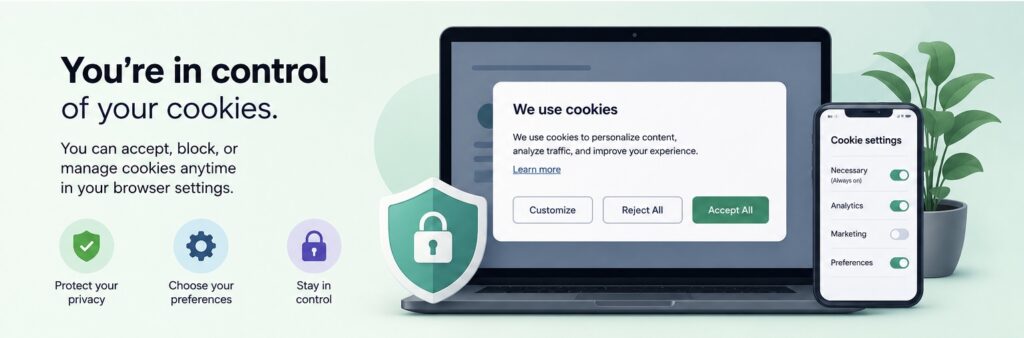
Yes, you can manage or control cookies in several ways.
1. Browser Settings
Most browsers allow you to:
- Block all cookies
- Block third-party cookies
- Delete existing cookies
- Set automatic deletion rules
2. Cookie Consent Tools
Many websites allow you to choose which types of cookies you accept.
You can often reject non-essential cookies while keeping essential ones.
3. Private Browsing Mode
Incognito or private browsing modes reduce cookie storage, although they do not completely eliminate tracking.
Pros and Cons of Cookies
Pros:
- Faster website loading
- Personalized experience
- Saved login sessions
- Improved website functionality
Cons:
- Online tracking
- Privacy concerns
- Targeted advertising
- Data profiling across websites
Cookies are not inherently good or bad, they depend on how they are used.
Frequently Asked Questions
Do cookies store personal information?
Cookies usually do not store sensitive information like passwords, but they can store identifiers linked to your browsing behavior.
Should I accept all cookies?
It depends. Accepting essential cookies is usually necessary, but you can often reject tracking or advertising cookies.
Do cookies slow down my device?
Cookies themselves do not significantly slow down devices, but excessive stored data can affect browser performance over time.
Can I delete cookies?
Yes. You can delete cookies anytime through your browser settings.
Final Thoughts
Cookies are a core part of how the modern internet functions. They help websites load faster, remember your preferences, keep you logged in, and create a more personalized browsing experience. At the same time, certain types of cookies, especially those used for advertising and tracking, also play a role in how your online activity is monitored across different sites.
Understanding what cookies actually do allows you to make more informed choices instead of simply accepting or rejecting them without context. The goal is not to avoid cookies entirely, but to manage them in a way that balances convenience with privacy.
By allowing essential cookies while limiting or controlling those used for tracking, you gain more control over your browsing experience and how your data is shared online.

Martins Osad is a technical writer and systems administrator specializing in network architecture and endpoint security operations. With over ten years of experience managing infrastructure deployment and configuring firewalls. All technical guides on Cybersafeguide are personally tested and verified in sandboxed environments.